
Circles
Show up. They just know. — know which friends are out, and let yours know you've arrived with a single tap. No account, no posting, no public feed. Just your people and the places you share.

Free · iPhone · iOS 17+
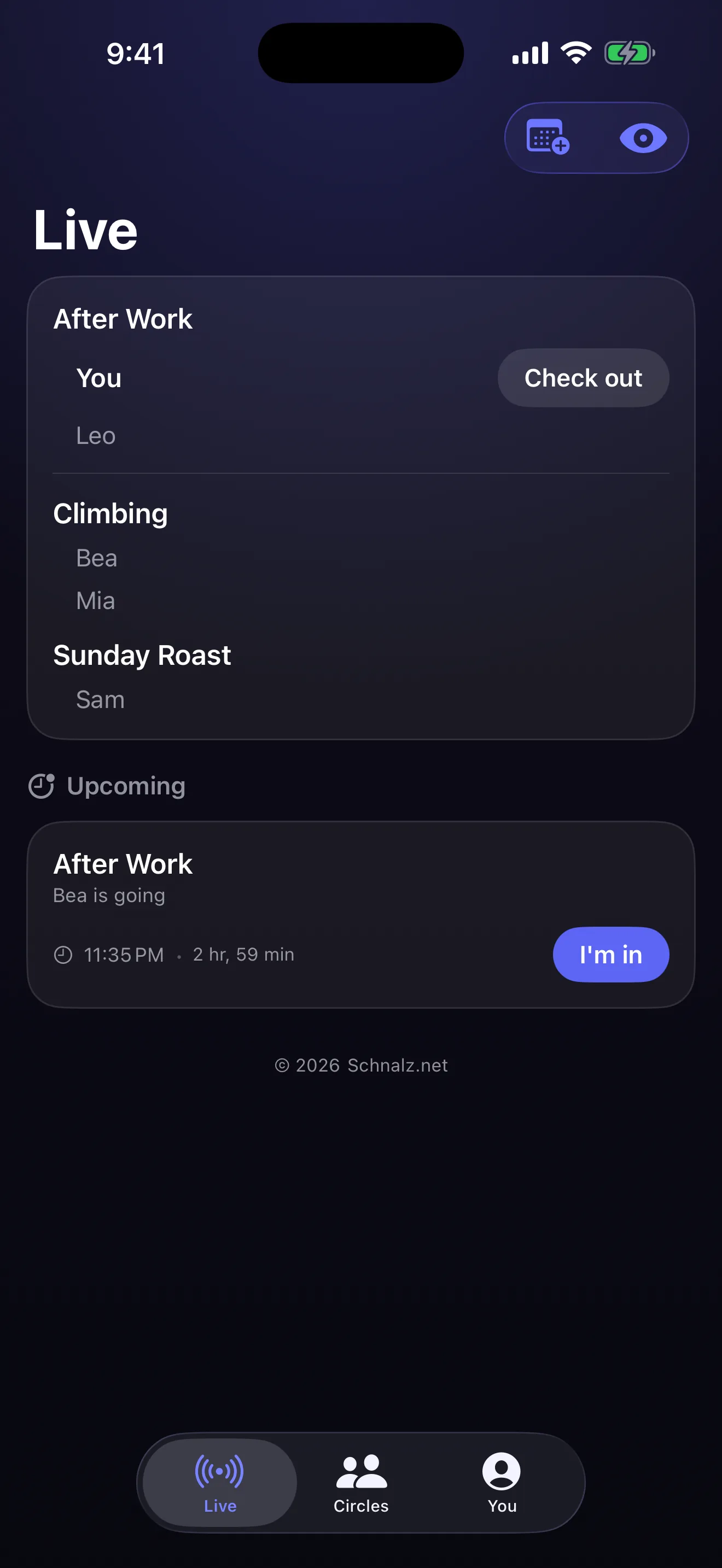
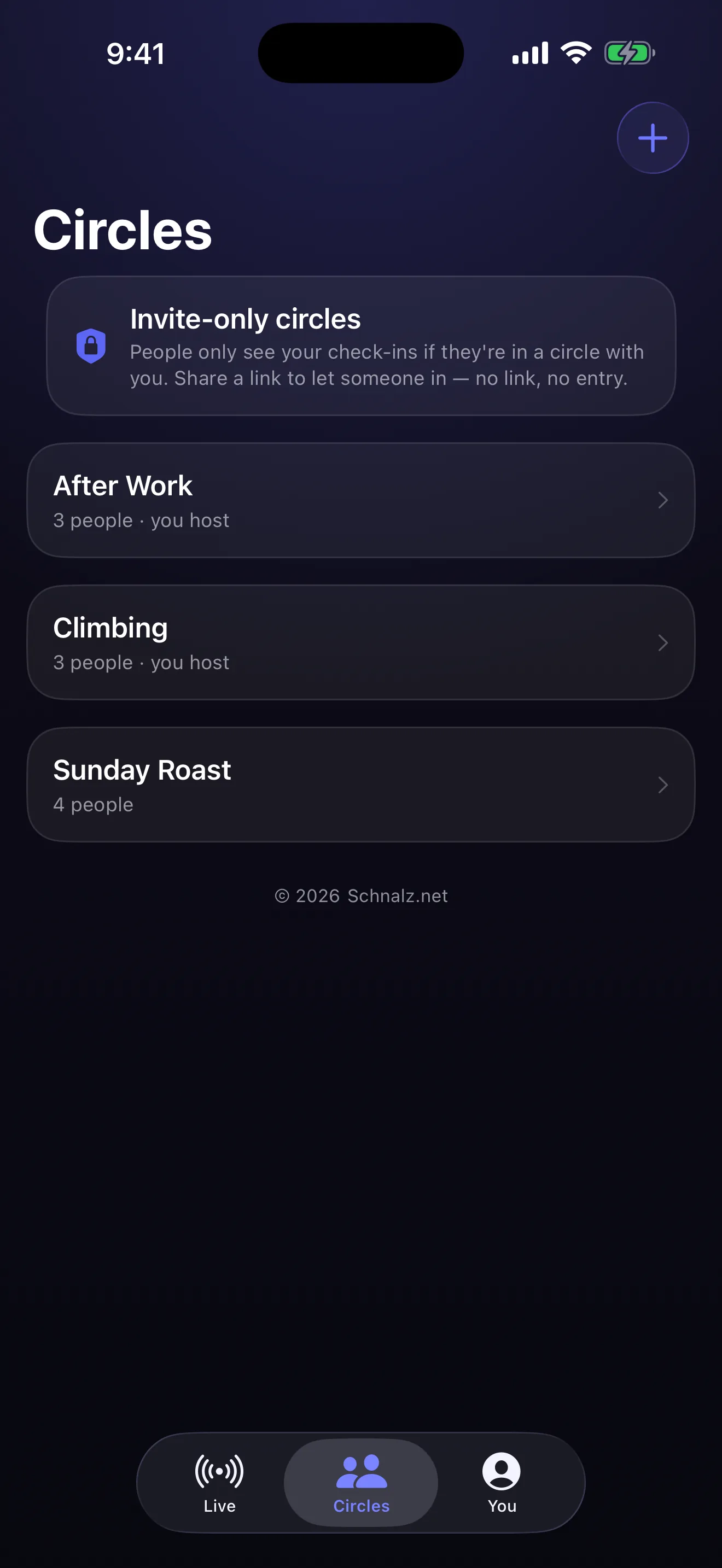
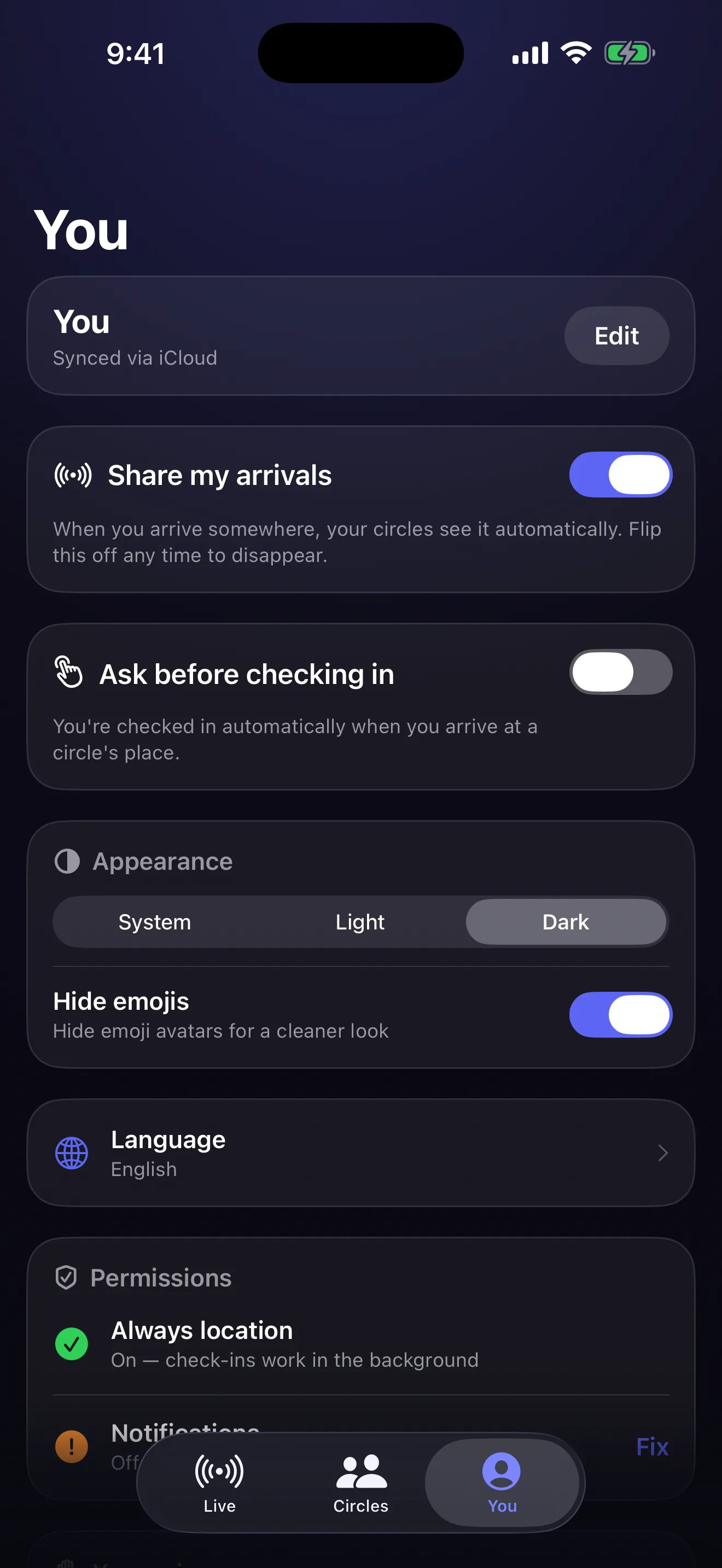
Three taps to set up.
You'll be done in under a minute. Save your circles, show up — that's the whole app.
1 · Create a circle
Give it a name and drop its place on the map.
2 · Invite your people
Share a link; they tap to join. Invite-only — no strangers.
3 · Show up
Arrive — and your circle just knows.
Quietly useful.
What it's like to actually use it.
One tap, or none
Check in with a single tap — or let it happen hands-free in the background.
See who's out right now
A live view of which friends are where, the moment they arrive.
Plan ahead
"I'll be at the bar at 8" — and friends can join you.
Ghost mode
Pause sharing instantly; you still see everyone, no one sees you.
No account, ever
Sign in with the Apple ID you already have — nothing new to create.
Themes & languages
Light, Dark & System, with full support for 10 languages — looks right everywhere, speaks yours.
Private by design.
Circles is built to share as little as possible. There is no sign-up — no account to create, and no email address, phone number or password needed to use the app. We operate no analytics, no advertising, and no third-party tracking of any kind, and the app contains no third-party tracking SDKs.
What the app stores
Your data stays private to you and the circles you're in. The app handles only a display name and emoji avatar you choose; your circles (each a name, one place, and the people you invite); your check-ins (the circle's place you're at and the time, shared only with that circle's members); and any optional plan — an "I'll be there at a time" — you choose to share.
Location
Circles uses your location only to detect when you arrive at a circle's place, so the people in that circle can see you've arrived. It never shares your live location or a map of where you are — only that you've arrived at a circle's place. Background ("Always") location lets check-ins happen without opening the app; you may instead use "While Using" permission, with reduced automatic behaviour, or check in manually.
Who can see your activity
Only people in a circle with you can see your check-ins. There is no public feed and no discovery of strangers. Leaving a circle immediately removes you from it, and Ghost mode stops all sharing instantly — you still see everyone, no one sees you.
Your choices and control
Turn off sharing any time with Ghost mode; leave any circle, or delete one you created for everyone; or delete all your data from inside the app (You tab → Delete my data), which removes your check-ins, your plans, the circles you host, and your profile. You can revoke location or notification permission in iOS Settings at any time. Circles is not directed to children under 13 (or the equivalent minimum age in your country).
Questions
Anything privacy-related? Reach us through the support form below — your email and message are used only to reply to you.
Need a hand?
Message us, or browse the FAQ. We read every one.
Do I need an account?
How do I add someone to a circle?
A friend and I see different names / it's not syncing.
Check-in isn't automatic.
How do I stop sharing?
How do I delete my data?
Which devices?
Want an app like this for your business?
We build native iOS & Android and web apps for clients too — fixed scope, quoted upfront.